
Ultimate Free Live MIDI Chord Analyzer Guide
RESOURCES
1/13/20264 min read
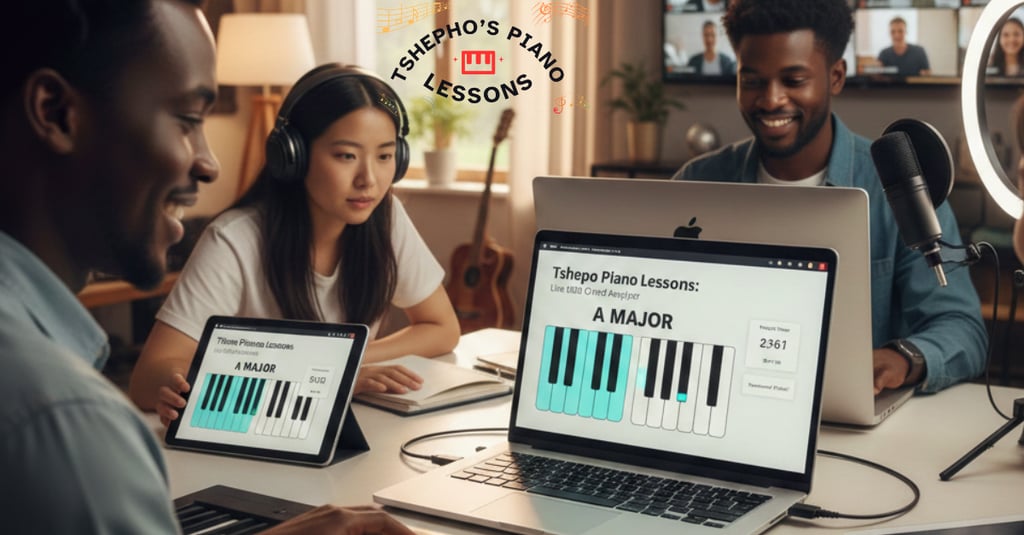

Whether you are a YouTube content creator recording a tutorial, a piano teacher conducting a lesson over Zoom, or a student trying to understand complex harmony, seeing the notes on screen is game-changing.
For years, the standard solution for this has been expensive software. Many creators and students have had to shell out significant amounts of money for "visualizers" that light up when keys are pressed.
Tshepho Piano Lessons has changed the landscape by releasing a powerful, completely free tool: the Live MIDI Chord Analyzer. This guide will explore exactly what this tool is, how to use it, and why it is an essential addition to your digital music toolkit.
What is the Live MIDI Chord Analyzer?
The Live MIDI Chord Analyzer (also referred to as the MIDI Piano App) is a web-based utility designed to interpret and display digital piano data in real-time. Unlike a static chord chart where you look up a diagram, this tool "listens" to what you are playing and translates it into visual data instantly.
The primary philosophy behind this tool is accessibility. As mentioned in the release announcement, the creator noticed a gap in the market: most visualizers were paid software, creating a barrier to entry for many aspiring musicians and teachers. This tool removes that barrier, requiring only an internet connection and a device.
Core Compatibility
One of the strongest features of this tool is its platform independence. Because it is web-based, you do not need to install heavy software. It works seamlessly on:
Laptops/Desktops (Windows, Mac, Linux)
Mobile Devices (Smartphones and Tablets)
Key Features Under the Hood
While the interface is clean and user-friendly, the engine driving the app is surprisingly robust. It goes beyond simple note detection to offer a full suite of monitoring tools.
1. Plug-and-Play MIDI Connectivity
The system is designed for instant gratification. When you plug your MIDI controller or digital piano into your device (via USB), the site detects it immediately. You will see a status update confirming: "MIDI connected and ready to play." This eliminates the headache of driver installations or complex audio routing.
2. Intelligent Chord Recognition
This is the "brain" of the application. If you play a C, an E, and a G together, the system doesn't just show three random lights; it analyzes the interval relationship and displays the text: C Major.
Example from the transcript: When playing an A, C#, and E, the system instantly identifies and labels it as A Major.
Benefit: This is incredibly useful for students learning theory, as it confirms whether they are playing the correct voicing for a specific chord.
3. Dynamic Expression Monitoring
Piano playing is about more than just hitting the right notes; it is about how you hit them. The Live MIDI Chord Analyzer captures the nuance of your performance by tracking:
Sustain Pedal: It visualizes when the damper pedal is engaged.
Pitch Bend: It tracks the modulation wheel or joystick movement.
Master Volume: It responds to volume slider adjustments on your controller.
4. Practice Productivity Suite
Uniquely, this tool includes features specifically for the disciplined practicer:
Time Tracking: A built-in timer allows you to see exactly how long you have been practicing or how long a tutorial recording is running. This is perfect for documenting practice sessions or adhering to a schedule.
Notes Box: There is a dedicated text field right on the screen. If you are a teacher, you can type reminders for your students. If you are a student, you can jot down questions or chord progressions you are working on without leaving the window.
Step-by-Step: How to Use the App
Ready to visualize your playing? Follow this simple workflow.
Step 1: Access the Tool
Open your web browser and navigate to TshephoPianolessons.co.za. Look for the navigation menu labeled "Tools" and select MIDI Piano App.
Step 2: Connect Your Hardware
Connect your digital piano or MIDI keyboard to your computer or phone using a USB cable (or a MIDI-to-USB adapter).
Note: Ensure your device volume is up if you want to hear the sound from your computer, though the visualizer works even if your local sound is muted.
Step 3: Verify Connection
Look at the interface. You should see a confirmation that your MIDI device is connected.
Step 4: Play and Analyze
Start playing!
Test the Range: Run a scale from the low end to the high end to ensure all keys are triggering.
Test Dynamics: Move your volume slider and press your sustain pedal to watch the interface react in real-time.
Analyze Chords: Play a triad (e.g., F Major). Watch the screen identify the chord name while simultaneously lighting up the correct keys on the virtual keyboard.
Who Is This Tool For?
This application was built with three specific user groups in mind:
1. Online Content Creators
If you make piano tutorials for YouTube or social media, you know the struggle of trying to explain which notes you are hitting. By screen-recording this tool while you play, you provide your audience with a clear, professional visual aid that shows exactly what your hands are doing. It adds high production value to your videos for zero cost.
2. Piano Teachers
For teachers conducting remote lessons (via Zoom, Skype, or Teams), this tool is invaluable. You can share your screen, and your student can see exactly which keys you are pressing and what chord it forms. It bridges the physical gap of online learning.
3. Students and Self-Learners
When practicing alone, it is easy to make mistakes without realizing it. Am I playing a Major 7th or a Dominant 7th? By watching the chord analyzer, you get instant feedback. If the screen says "C7" but you meant to play "Cmaj7," you know immediately that you need to adjust a finger.
A Note on Community and Sharing
The transcript emphasizes a spirit of community. We developed this tool to solve a problem and decided to share it freely with the world.
"If you're not using it, then no one else is using it... We want to make it easier for piano players out there."
We encourage users to share the tool with friends, family, and fellow musicians. Because it is a web link, sharing is as easy as sending a WhatsApp message or an email. By spreading the word, you help support the maintenance of free tools for the music community.
The Live MIDI Chord Analyzer is more than just a flashy light show; it is a comprehensive educational assistant. It combines the technical utility of a MIDI monitor with the educational value of a chord dictionary, all wrapped in a free, accessible web interface.
Whether you are trying to document your practice hours, teach a student the difference between a major and minor third, or produce the next viral piano tutorial, this tool is ready to be plugged into your workflow.